

Finding the best WordPress blog theme shouldn’t feel like a compromise, and yet for most bloggers and site owners, it does. You find a theme with stunning demo designs, only to discover the customizer is locked down. Or you choose something fast and lightweight, and it looks generic the moment you deviate from the demo. You end up settling for something that almost works, and your site ends up looking like a hundred other sites.
Aurora was built to solve exactly that problem.
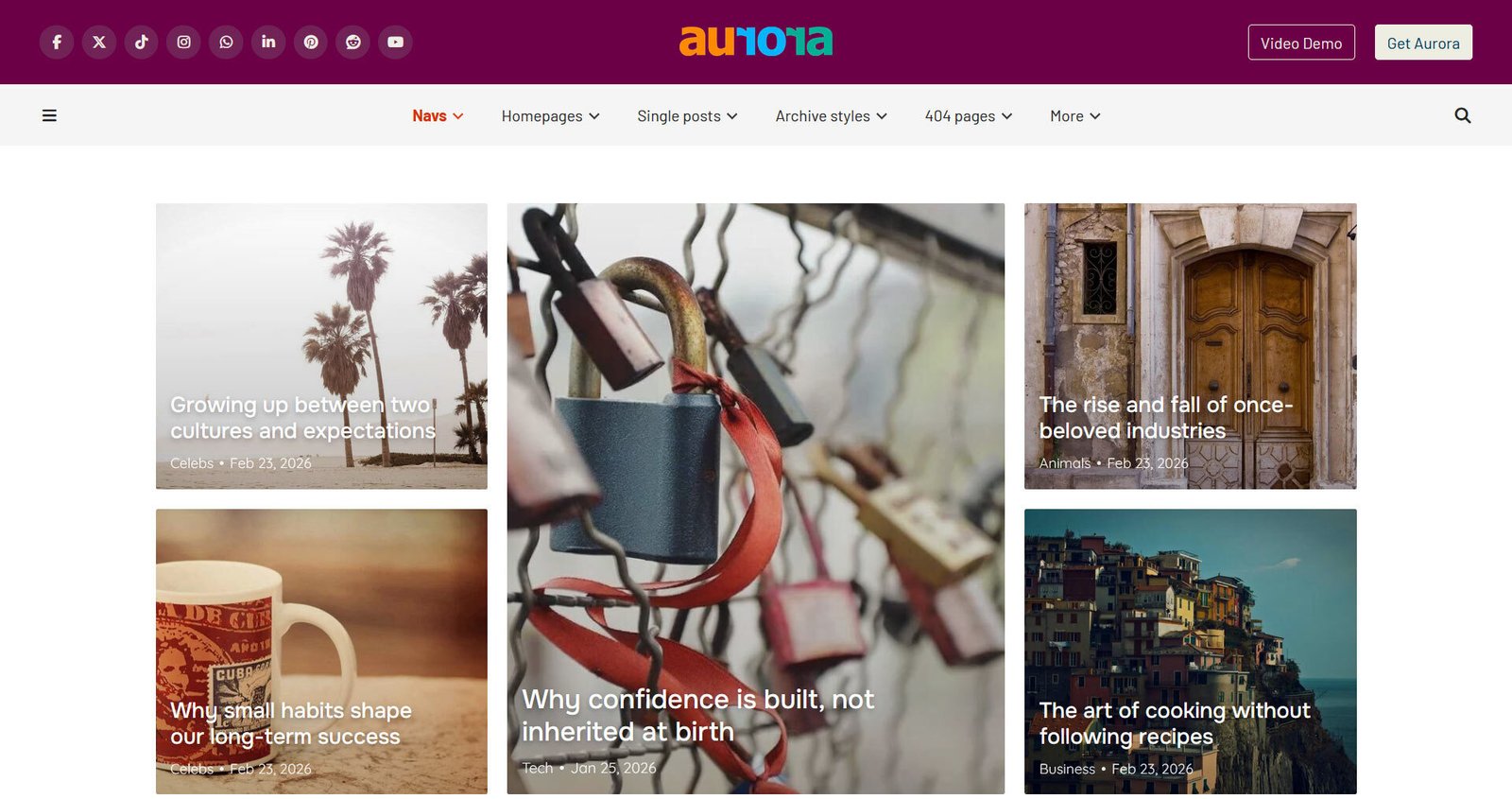
What the Best WordPress Blog Theme Actually Needs to Do
Before you choose a theme, it helps to be clear about what you actually need from one. A great WordPress blog theme should load fast, look professional without heavy customization effort, and give you real layout flexibility without forcing you to call in a developer every time you want to change something. It should handle your content cleanly whether you have ten posts or a thousand. And it should be built in a way that doesn’t become a liability as your site grows.
Aurora is designed around every one of those requirements.
Aurora Is a Design System, Not Just a Theme
Most themes give you one look, maybe a few color options, and call it a day. Aurora works differently. Rather than locking you into a single visual identity, it ships with a full library of layout options that you can switch between, mix, and adjust entirely within the native WordPress Customizer, with no page builder required and no demo imports to worry about.
That means you can change your homepage layout, your header style, your single post design, and your archive presentation at any time without touching a line of code and without losing your content. You see every change live as you make it, which makes the whole design process dramatically faster and far less frustrating.
A Closer Look at What Aurora Offers
Six horizontal and two vertical header layouts.
Your header is the first thing readers see, and Aurora gives you eight distinct options to work with. Whether you want something minimal and editorial, a centered logo with a full navigation bar, or a sidebar-style vertical header for a more magazine-like feel, you have real choices that meaningfully change the character of your site.
Five homepage layouts, each with four customizable content slots.
Aurora’s homepages aren’t rigid templates. Each of the five layouts comes with four configurable content sections, so you can decide what appears in each spot, from featured posts to category grids to custom content blocks. This gives you the kind of homepage control that usually requires a page builder.
Ten single post layouts.
This is where many themes fall flat. Aurora gives you ten different ways to present individual blog posts, varying in how they handle featured images, content width, sidebar placement, and post meta like reading time, author info, and breadcrumbs. If your content is the product, your single post design deserves this level of attention.
Thirteen archive styles with masonry toggle and Ajax load-more.
Archive pages are often an afterthought, but they’re where most readers browse your back catalogue. Aurora lets you choose from thirteen different archive presentations, switch masonry grid layouts on or off, and offer readers either classic pagination or smooth Ajax-powered load-more functionality, all without a plugin.
Five footer layouts and five 404 page styles.
Even the parts of your site that rarely get thought about are covered with multiple options. A well-designed footer builds trust, and a thoughtful 404 page can still send lost visitors somewhere useful.
RTL support and seven language translations included.
Aurora ships ready for a global audience out of the box, with right-to-left layout support for Arabic and Hebrew audiences, and translations already available in French, Dutch, German, Arabic, Italian, Spanish, and Japanese.
This is a just summary of the available styles. Aurora has well over 50 templatesand 4,000+ possible combinations. You can check them all out on the theme demo site.
Built for Speed and Clean Code
Aurora is built lean. There are no bloated page builder dependencies, no unnecessary JavaScript frameworks loading on every page, and no third-party font libraries making external requests. Font Awesome is bundled locally, which means your icons load from your own server rather than a CDN, improving both performance and privacy compliance.
Fast-loading pages help you rank better in search results, reduce bounce rates from impatient visitors, and simply provide a better experience for everyone who lands on your site. Aurora has achieved a GTmetrix Grade A and a PageSpeed score of 96, which are the kind of numbers that give both you and your readers confidence.
Optimized for SEO and LLM Discovery
A theme can support or quietly undermine your SEO efforts depending on how it’s coded. Aurora uses proper heading hierarchy throughout, which helps search engines understand the structure of your content. Archive pages and single post templates are structured with clean, semantic HTML that search crawlers can read without friction.
Aurora is also optimized for AI-powered search and LLM indexing. As more readers discover content through tools like ChatGPT, Perplexity, and AI-assisted search, your site’s ability to be accurately parsed and cited by these systems matters more than ever. Aurora’s clean semantic structure, logical content hierarchy, and fast response times make it well-suited for this newer layer of discoverability, giving your content a better shot at being surfaced in AI-generated answers.
Beyond technical SEO, Aurora supports features like breadcrumbs, reading time indicators, related posts, and post excerpt control, all of which contribute to a better reader experience and help search engines understand your content’s depth and context.
Not Just for Bloggers
Aurora is primarily designed around blog-driven content, but it works just as well for businesses that use content marketing as part of their wider strategy. If you run a SaaS product, a creative studio, a consultancy, or any kind of brand that maintains a blog or resource section, Aurora gives your site a professional, editorial quality that generic business themes typically don’t offer.
You don’t need to build a blog-first site to benefit from Aurora’s layout flexibility and design options. Businesses that want a polished online presence with the ability to publish content regularly will find it just as useful as a full-time blogger would.
Why Aurora Stands Out in 2026
There are hundreds of WordPress themes available, and most of them make you choose between looking good and having control. Aurora’s core advantage is that it refuses that trade-off. You get multiple homepage layouts, multiple post layouts, multiple archive styles, multiple header and footer options, and the ability to switch between all of them instantly, inside a customizer you already know how to use.
It’s the kind of flexibility that used to require either a premium page builder subscription or a custom theme built from scratch. Aurora packages it into a single, well-coded theme that you install once and genuinely don’t outgrow.
If you want a WordPress blog theme that gives you professional design out of the box, real layout control without a developer, strong performance, and the adaptability to grow and evolve with your site, Aurora is built precisely for that.
Make your blog stand out
Enjoy the ease and flexibility of Aurora. Create stunning blog designs your readers will love, with live preview editing and effortless template mixing and matching enabled.
Get Aurora today for just $39
