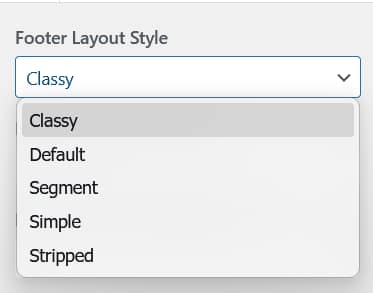
Aurora ships with 5 footer layouts. They share a consistent base structure but differ in how the fourth column is used, or whether it exists at all. You can preview all five on the Aurora demo site.
What All Footer Layouts Share
- Logo (or site title fallback)
- Footer bio and logo
- Social icons (with independent show/hide toggle)
- Up to 3 navigation footer menus with configurable titles
- Bottom bar with copyright text and an optional footer bottom menu
Quick Comparison
| Layout | Columns | Column 4 | Best For |
|---|---|---|---|
| Default | 4 | Navigation menu | Sites with lots of footer links |
| Classy | 4 | Recent posts | Active blogs, content-first sites |
| Segment | 4 | Contact info | Professional blogs, service sites |
| Stripped | 0 | None | Minimal footer, no widget area needed |
| Simple | 1 | None | Personal blogs, minimal sites |
The 5 Footer Layouts in Detail
Default
A four-column footer. The first column holds the logo, bio, and social icons. Columns 2, 3, and 4 are all navigation menus. This is the most link-dense footer option, useful for sites that want to surface category pages, tag archives, legal pages, and secondary navigation in the footer.
Classy
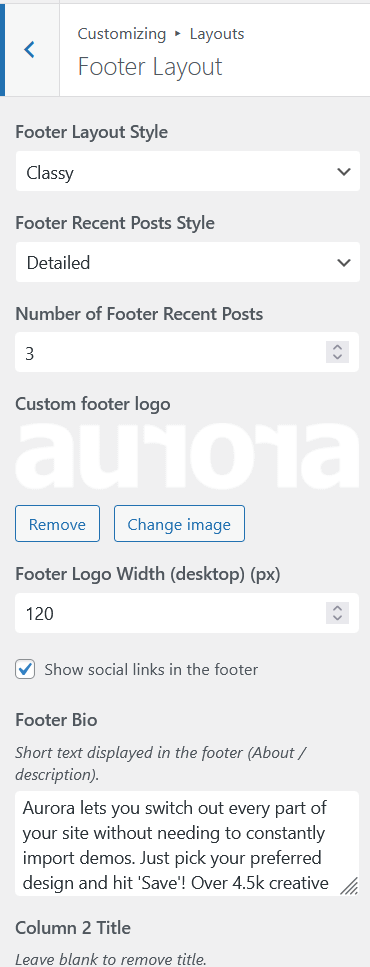
Three navigation menu columns plus a fourth column displaying recent posts with thumbnails. The recent posts block keeps your footer dynamic, updating automatically as you publish new content. Three sub-styles are available for the recent posts display: Default, Detailed, and Simple, configurable under Layouts → Footer Layout → Recent Posts Style.
Segment
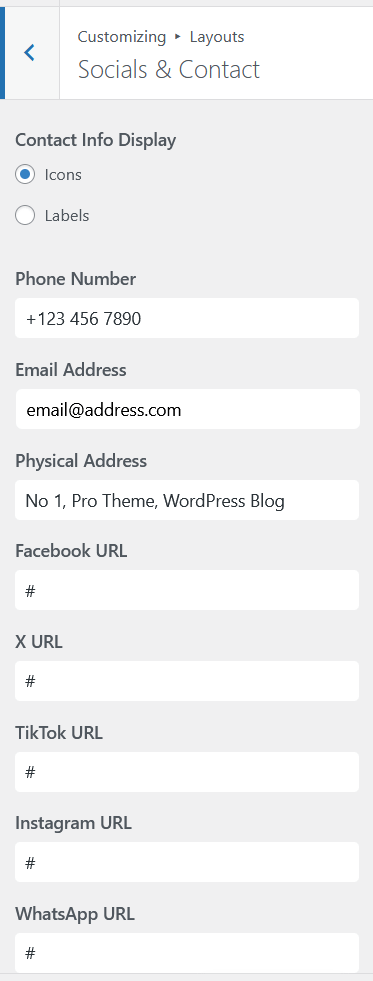
Three navigation menu columns plus a fourth column showing your contact information: phone, email, and address as entered under Socials & Contact. The right choice for professional blogs, consultants, and anyone who wants contact details persistently visible in the footer.
Stripped
No widget area. A single thin bar only: copyright text on the left and social media icon buttons on the right. The most minimal footer option for sites that want nothing above the bottom bar.
Simple
No columns. A fully centered single-column layout: logo centered at the top, bio text centered, social icons centered, footer menu links centered and separated by dots, copyright text centered at the bottom. Best for personal blogs, portfolios, and single-author sites where the footer needs to be unobtrusive.
How to Switch Footer Layouts
Go to Appearance → Customize → Layouts → Footer Layout and select from the dropdown. The live preview updates immediately.