

Aurora includes ten single post layouts, switchable from Appearance → Customize → Layouts → Single Post Layout. Each controls how the featured image and post header are presented at the top of the post page.
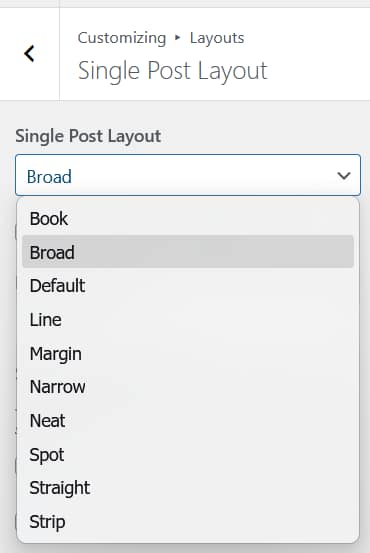
All single post layouts can be previewed on the Aurora demo site. Open any post and switch the layout from your Customizer to compare.
Default
Breadcrumb at the top. Full-width featured image below the breadcrumb. Category badge below the image. Title below that. Italic excerpt below the title. Author avatar, date, comment count, and read time in a row below the excerpt. Post content follows. All layouts except Default, Neat, and Straight use the button background color as a fallback when a post has no featured image.
Straight
Full-width featured image. Category badge below the image. Title below. Tags below the title. Author, date, comment count, and read time in a row. Share buttons displayed before the post content begins.
Book
Split layout. The left half shows the category label, title in all-caps, author avatar, date, and read time on a light background. The right half is the featured image filling the full height of the split. Post content begins below.
Strip
Full-width featured image with all post header elements overlaid on it, left-aligned: category badge, title, excerpt, author avatar, date, comment count, and read time. Post content begins below the image.
Spot
Full-width featured image. A white card floats over the left side of the image, containing the categories, title, excerpt, author avatar, date, and read time. The card sits on top of the photo with no image behind it. Post content begins below.
Neat
Breadcrumb at the top. Title below. Italic excerpt below the title. Featured image below that. Author, category, date, comment count, and read time displayed in a single row below the image. No header elements overlaid on the image.
Narrow
Breadcrumb at the top. Full-width featured image. Category badge below the image. Title below. Excerpt below the title. Author avatar, date, comment count, and read time in a compact row. Uses a narrower content column than other layouts.
Margin
Category label centered above the title. Title centered. Author avatar, date, and read time centered below the title. Full-width featured image below the header block. Italic excerpt centered below the image. Post content follows.
Line
Full-width featured image. The post header — category, title, author, date, comment count, and read time — is pulled up into the bottom portion of the featured image, overlapping it rather than sitting below. Post content begins after the image.
Broad
Full-width featured image spanning the viewport. Category badge centered over the image. Title centered in white text over the image. Author avatar, date, comment count, and read time displayed below the title, also overlaid on the image. Post content begins below.
Switching Layouts
The layout set in the Customizer applies to all single posts globally. To use a different layout for a specific post, the Nova plugin adds a per-post override directly in the post editor.