
How to Set Up Your Author Profile (Bio, Photo, and Social Links)
 By Daniel Ekay
•
May 18, 2026
•
By Daniel Ekay
•
May 18, 2026
•
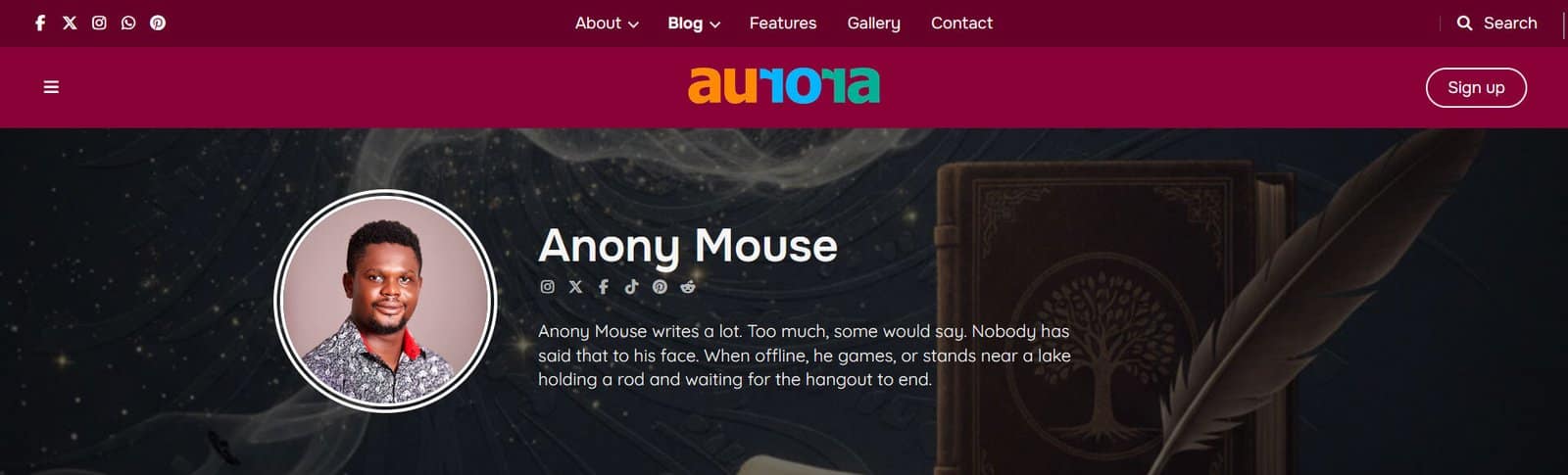
Aurora’s author block (shown on single posts and author archive pages) is built entirely from the WordPress user profile. There is no separate Aurora settings panel for it. Fill in the right fields on the user’s profile page and Aurora renders them automatically.
Where to Edit Your Profile
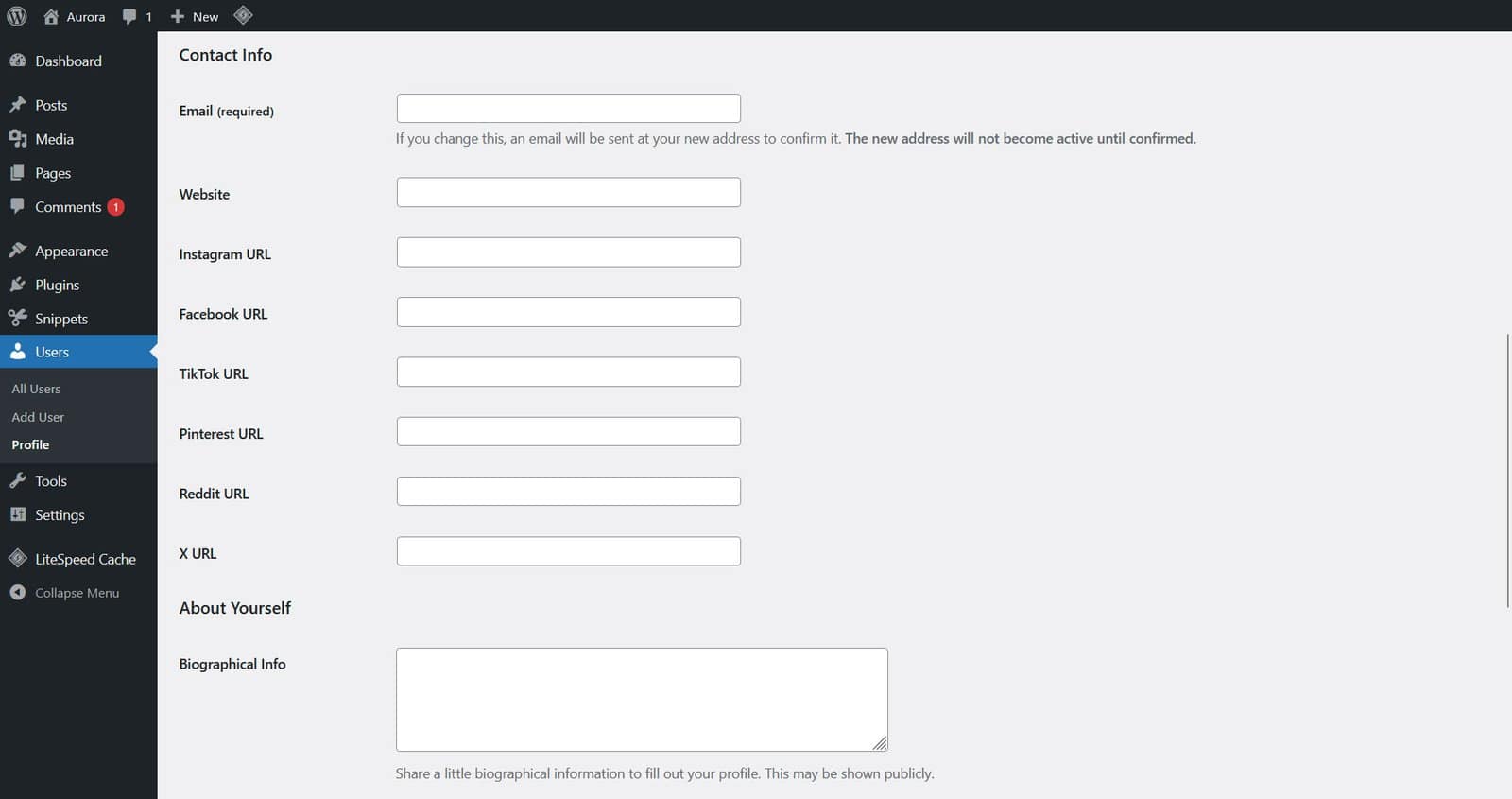
- Go to Users → All Users in WP Admin.
- Click Edit on the user you want to update.
- Fill in the relevant fields and click Update User.
Users can also edit their own profile by going to Users → Profile.
Fields Aurora Uses
| Field | Where it appears |
|---|---|
| Display name | Author name in the post byline and author block |
| Biographical Info | Author bio text in the author block on single posts and author pages |
| Profile photo (Gravatar) | Author avatar in the author block |
| X URL | X/Twitter icon in the author block social links |
| Instagram URL | Instagram icon in the author block social links |
| Facebook URL | Facebook icon in the author block social links |
| TikTok URL | TikTok icon in the author block social links |
| Pinterest URL | Pinterest icon in the author block social links |
| Reddit URL | Reddit icon in the author block social links |
The six social fields (X, Instagram, Facebook, TikTok, Pinterest, Reddit) are added to the user profile by Aurora. They appear in the Contact Info section of the profile edit screen.
Profile Photo
Aurora uses the WordPress standard avatar system, which pulls from Gravatar. To set a profile photo, create a Gravatar account using the same email address as the WordPress user. The photo will appear automatically.
If no Gravatar is set, WordPress displays a generic default avatar.
Where the Author Block Appears

- Single posts — below the post content on all single post layouts
- Author archive pages — at the top of the author’s post archive