

Most WordPress themes load all their stylesheets on every page regardless of what is actually being displayed. A theme with 10 header designs loads the CSS for all 10, even though only one is active. Aurora does not work this way.
Conditional CSS Loading
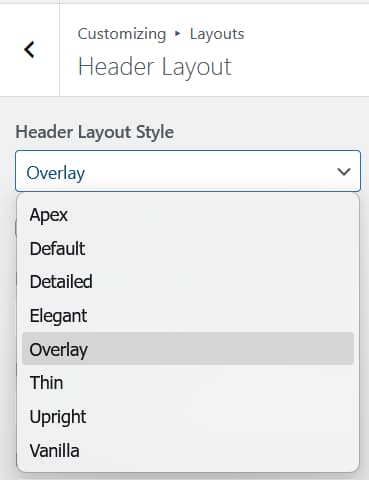
Aurora checks which layouts are active before loading any stylesheets. Only the CSS files for your active header, footer, homepage, archive, single post, and other templates are enqueued. Everything else stays off the page entirely.
If you switch from one header layout to another, Aurora automatically loads the CSS for the new layout and stops loading the CSS for the old one. There is nothing to configure. It happens as a direct result of your Customizer settings.
What This Means in Practice
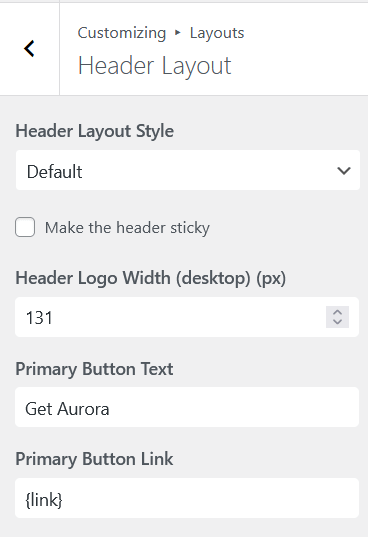
A visitor loading one of your posts receives only the stylesheets needed to render that specific post with your active layouts. No unused CSS for layouts you are not using, no extra HTTP requests for features you have not enabled.
This is a significant part of why Aurora scores 96 on Google PageSpeed out of the box, and why it performs well on Core Web Vitals metrics like LCP and CLS. The baseline is already lean, so you are not fighting against the theme to get good performance scores.
CSS Variables for Colors and Fonts
Colors, fonts, and other Customizer values are output as CSS custom properties directly into the page head on every load. This means a single small inline style block handles all your design tokens rather than multiple separate stylesheet requests.
See How to Use Aurora’s CSS Variables if you want to reference or override these values in your own custom CSS.
Caching and Performance Plugins
Because Aurora’s CSS loading is already optimized, aggressive CSS minification and combination settings in caching plugins can sometimes cause conflicts. They may combine stylesheets that were intentionally loaded separately, or inline critical CSS incorrectly. If you notice layout issues after enabling a caching plugin’s CSS optimization features, disabling CSS combine and critical CSS generation is usually the fix.