

Aurora includes full right-to-left (RTL) support. When WordPress is configured to use an RTL language, Aurora automatically loads a dedicated RTL stylesheet that flips layout directions, adjusts text alignment, and mirrors UI elements to read naturally in RTL.
How Aurora Loads RTL Styles
Aurora detects RTL mode using WordPress’s built-in is_rtl() function. When it returns true, Aurora enqueues assets/css/rtl.css, a stylesheet that overrides the default LTR layout rules. This happens automatically; you do not need to enable or configure anything in the Customizer.
The RTL stylesheet handles:
- Text direction and text alignment across headers, footers, and content areas
- Flexbox and float direction reversals
- Sidebar position mirroring
- Menu alignment and dropdown direction
- Icon and arrow direction flips
Setting Up an RTL Site
Aurora’s RTL support is tied to WordPress’s site language, not a separate theme setting. To activate it:
- Go to Settings → General in WP Admin.
- Set Site Language to an RTL language. Arabic (
ar), Hebrew (he_IL), Persian (fa_IR), and Urdu (ur) are common choices. - Save. WordPress will mark the site as RTL, and Aurora will load the RTL stylesheet on the next page load.
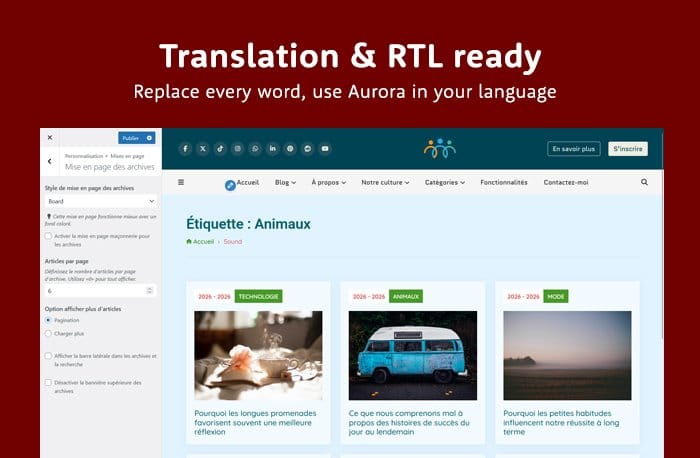
You do not need to install a separate plugin or modify any theme files. The RTL stylesheet is bundled with Aurora and loads conditionally only when needed. It adds no overhead on LTR sites.
Combining RTL with a Translated Aurora
If you are building a fully localized RTL site, you will also want Aurora’s interface strings — button labels, breadcrumb text, read-more links — translated into your language. Aurora ships with translation files for several languages. See Aurora Translation Files: Available Languages for what is included and How to Translate Aurora into Your Language for adding your own translation.
WordPress itself handles RTL for its admin interface and core strings. Aurora’s RTL stylesheet covers the theme’s front-end layout only. If you are using a page builder or other plugins, check whether those also include RTL stylesheets.