

All font families in Aurora are sourced from Google Fonts. You select them directly in the Customizer by typing the font name. No separate plugin or manual embed code is needed. Google Fonts is one of the font sources available in Aurora’s typography system.
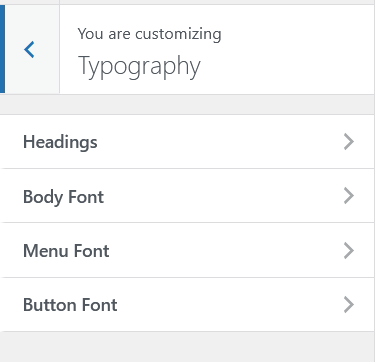
How to Apply a Google Font
- Go to Appearance → Customize → Typography.
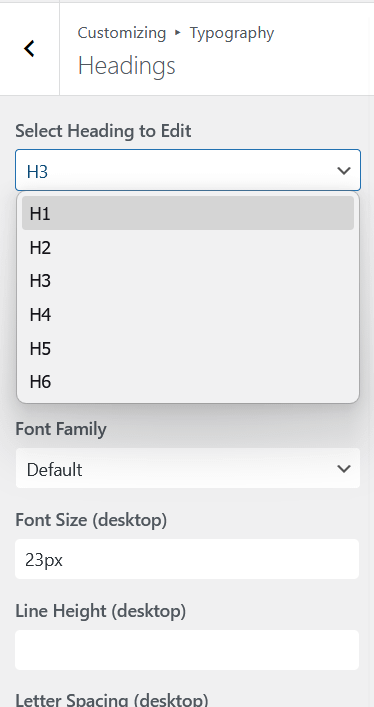
- Open the font category you want to change: Body, Headings, Menu, or Buttons.
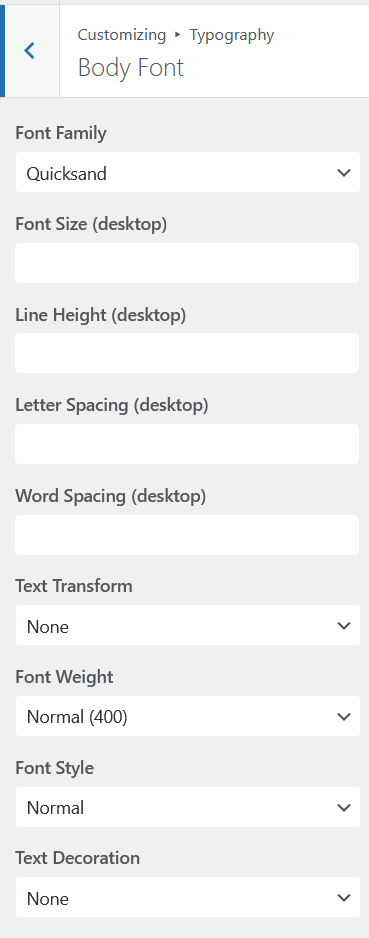
- Find the Font Family field.
- Type the exact name of the Google Font you want, for example
InterorPlayfair Display. - The preview updates live to show the new font.
- Click Publish.
Finding Font Names
To find available font names, browse fonts.google.com. The name shown at the top of each font card is the exact name to type into Aurora’s font family field. Font names are case-sensitive. Type them exactly as they appear on Google Fonts.
Examples of correctly formatted font names:
RobotoOpen SansPlayfair DisplayMerriweatherDM SansSource Serif 4
How Aurora Loads Google Fonts
Aurora adds a preconnect link to fonts.googleapis.com and fonts.gstatic.com in the page head. This pre-establishes the connection to Google’s font servers before the browser requests the font files, reducing the time it takes for fonts to load.
The actual font stylesheet is loaded only for the fonts you have selected. If you are using the same font for body and headings, Aurora requests a single font family, not multiple.
Font Weights and Styles
Aurora requests the font weights you have configured in the typography settings. If you set your heading font weight to 700, Aurora includes the 700 weight in the Google Fonts request. Using multiple weights from the same family increases load time slightly. Using two or three weights from one family is preferable to loading many different families.
Using a System Font Instead
If you prefer not to load any external fonts, you can use system fonts by entering a font stack directly into the family field, for example: -apple-system, BlinkMacSystemFont, Segoe UI, sans-serif. System fonts load instantly since they are already on the user’s device.
If you need to use a purchased or brand font that is not on Google Fonts, see custom fonts without Google.