
Aurora’s Layout System Explained: How 53 Templates Create 5,000+ Combinations
 By Daniel Ekay
•
May 18, 2026
•
By Daniel Ekay
•
May 18, 2026
•
Aurora is built around a layout system that treats design variety as a core feature rather than an afterthought. This page explains how the system works and what it means for your site.
The Core Idea
Most WordPress themes offer one layout per page type: one way to show a single post, one archive style, one header design. Some offer two or three. Aurora ships with multiple layouts for every major region of your site, all switchable from the Customizer with no code required.
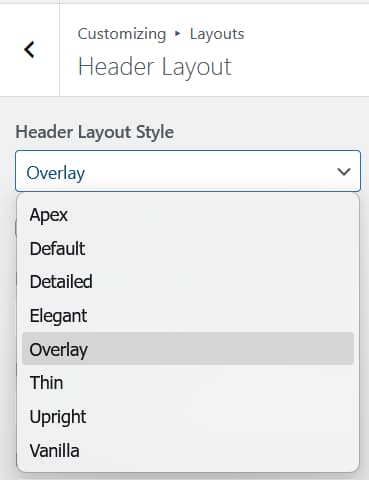
Because each region is independent, the number of possible site designs multiplies. With 8 header options, 5 homepage options, 13 archive options, 10 single post options, and 5 footer options alone, the combinations exceed 26,000 before accounting for the other regions.
The Eight Layout Regions
| Region | Templates |
|---|---|
| Header | 8 |
| Homepage | 5 |
| Single Post | 10 |
| Archives | 13 |
| Footer | 5 |
| Author Page | 4 |
| Search Results | 3 |
| 404 Page | 5 |
| Total | 53 |
Want to see these layouts in action? Browse the Aurora demo site to preview combinations live.
How Switching Works
Every layout region has a dropdown in the Customizer. Selecting a different option swaps the template for that region immediately. You see the result in the live preview without publishing. Your content is never affected. Only the presentation layer changes.
There is no import required, no demo content to load, and no page builder to configure. Each layout is a PHP template that renders directly into the WordPress template hierarchy.
What Each Layout Controls
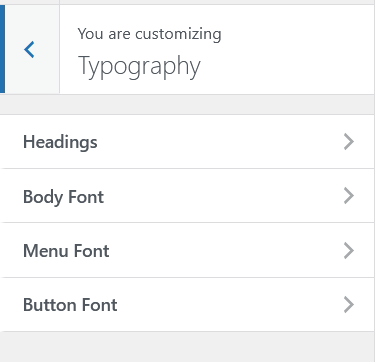
A layout controls the structure and presentation of its region: the arrangement of elements, the use of featured images, the placement of sidebars, the style of navigation. It does not control colors, fonts, or site width. Those are set globally in the Customizer and apply to every layout automatically via CSS custom properties.
This means switching layouts never breaks your brand. Your color scheme and typography follow every template, so any combination you choose looks intentional.
Conditional CSS Loading
Aurora only loads the stylesheet for the layout that is currently active on the page being viewed. A visitor reading a single post never downloads archive CSS. A visitor browsing a category page never downloads single post CSS. This keeps page weight low regardless of how many layouts the theme includes. See how Aurora loads CSS for a technical breakdown.
Extending with Nova
Nova is Aurora’s template extension plugin. It adds additional layouts to every region without modifying the theme itself. Nova templates appear in the same Customizer dropdowns alongside Aurora’s built-in options. Installing Nova does not change how the layout system works. It simply adds more choices to it.
See Introduction to Nova for more detail.
No Page Builder Required
Aurora’s layouts are not built with a page builder. They are clean PHP template files that render directly. This keeps the HTML output semantic, lightweight, and fast. There are no wrapper divs, no inline styles generated by a builder, and no JavaScript required to render the layout.
You can still use a page builder like Elementor or the Gutenberg block editor to build individual pages or posts. Aurora wraps that content in its layout; it does not compete with it.