

Aurora is not a page builder theme. Understanding the difference explains why Aurora sites load fast, why layouts look consistent, and why switching designs never breaks your content.
How Page Builder Themes Work
Page builder themes (Divi, Avada, and similar) store your layout inside the post content itself. Your header, footer, and page structure are built by assembling rows, columns, and modules in a visual editor. The resulting content is stored as shortcodes or block markup in the database.
This approach has real trade-offs:
- Switching themes breaks your pages: the shortcodes or blocks are no longer recognized
- Pages carry the weight of the builder’s JavaScript and CSS on every load
- Layouts are tied to your content, making them hard to change globally
- The HTML output is often deeply nested and non-semantic
How Aurora’s Layout System Works
In Aurora, layouts are PHP template files stored in the theme, completely separate from your post content. When a visitor loads a page, WordPress calls the appropriate template file, which renders the structure around your content. Your posts and pages contain only their actual content: text, images, and blocks, nothing else.
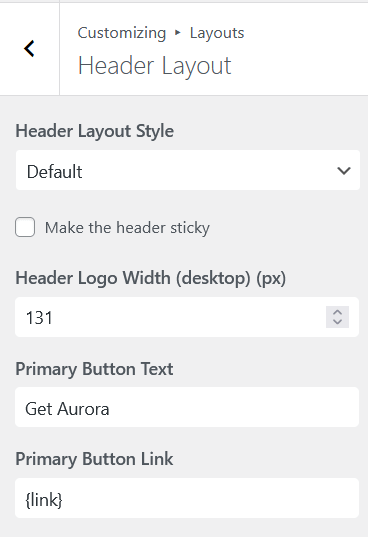
Changing your header layout in the Customizer tells Aurora to load a different PHP file for the header region. Your content is untouched. The new header renders around it.
What This Means in Practice
Switching layouts never breaks content
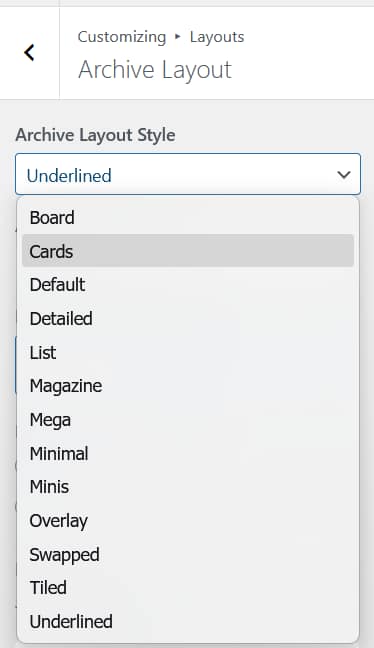
Because layouts and content are completely separate, you can switch from any layout to any other layout at any time. Nothing in your posts or pages changes.
Pages are lightweight
Aurora’s templates are clean PHP files. They output semantic HTML with no builder wrapper divs, no inline styles generated by a visual editor, and no JavaScript required to render the layout. This is a core reason Aurora scores 96–98 on PageSpeed out of the box.
Layouts apply globally
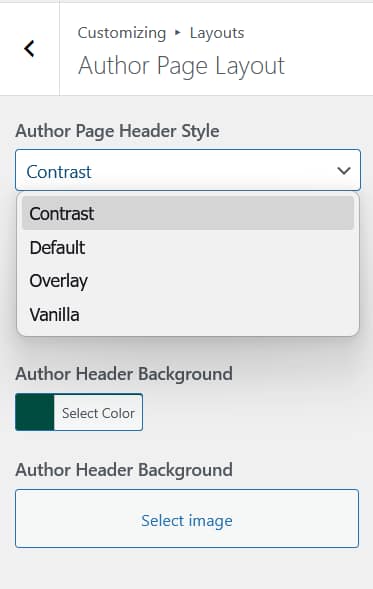
Changing your archive layout in the Customizer changes every archive page on your site at once: category pages, tag pages, date archives, and author pages. You configure once, it applies everywhere.
You can still use page builders for individual pages
Aurora is fully compatible with Elementor and the Gutenberg block editor. If you want to build a specific landing page or custom post layout with a page builder, Aurora wraps that content in its header and footer templates as normal. The two systems do not compete.
The Role of the Customizer
Aurora’s Customizer is the control panel for your layout system. It stores your layout choices, color settings, typography preferences, and feature toggles as WordPress theme mods. When a page loads, Aurora reads these settings and renders the correct template with the correct styles. No visual editor is involved in rendering your site to visitors.