

Aurora is built for the WordPress block editor. It declares full block editor theme support and outputs clean markup that works with blocks out of the box. No configuration needed.
What Aurora Supports
Aurora declares the following block editor theme support features:
| Feature | What it means |
|---|---|
| Block styles | WordPress’s default block styles apply correctly within Aurora’s layouts |
| Wide and full alignment | Blocks can break out of the content column using wide or full-width alignment |
| Responsive embeds | Embedded videos, iframes, and media scale correctly on all screen sizes |
| Block-based widgets | The sidebar widget area supports blocks via the block widget editor |
How It Works in Practice
Write your posts and pages using blocks as normal. Aurora wraps your block content in its active layout template. The header, footer, sidebar, and post structure all render around your content automatically.
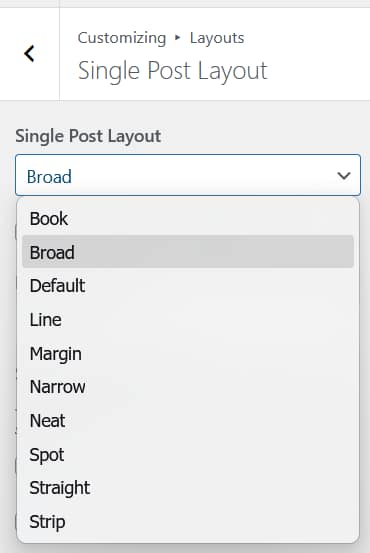
The active single post layout controls how your post header, featured image, and content area are presented. Your block content fills the content area of whichever layout is active.
Wide and Full-Width Blocks
On single post layouts that support it, blocks set to Wide width or Full width in the block editor will extend beyond the standard content column. This works automatically. No CSS required.
Not all single post layouts have the same content column width. Layouts like Broad and Straight give blocks more horizontal room than narrower layouts like Book or Narrow. Choose a layout that suits how you use wide blocks. See Aurora Single Post Layouts: All 10 Designs Compared.
Classic Editor
Aurora works equally well with the Classic Editor plugin. The block editor is not required. Both editors produce content that Aurora’s templates render correctly.
Aurora is a traditional PHP theme, not a block theme. This means it uses the Customizer for layout and design settings rather than the Site Editor. The block editor is fully supported for writing and designing content. The site structure (header, footer, layouts) is managed through the Customizer.